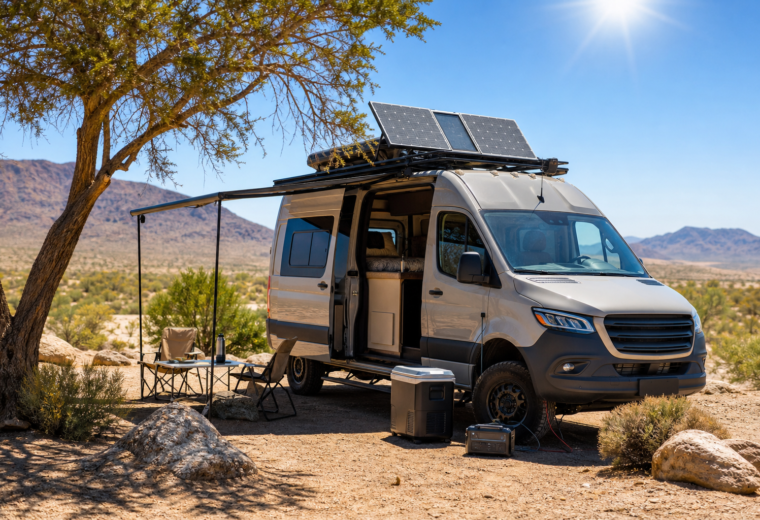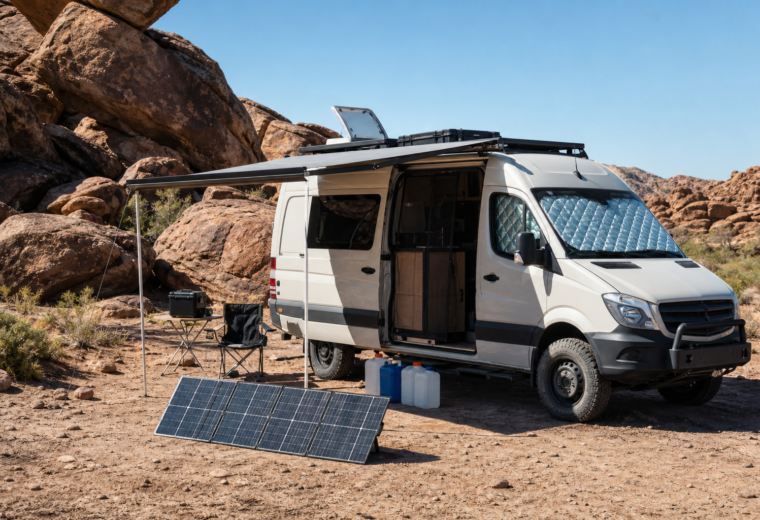
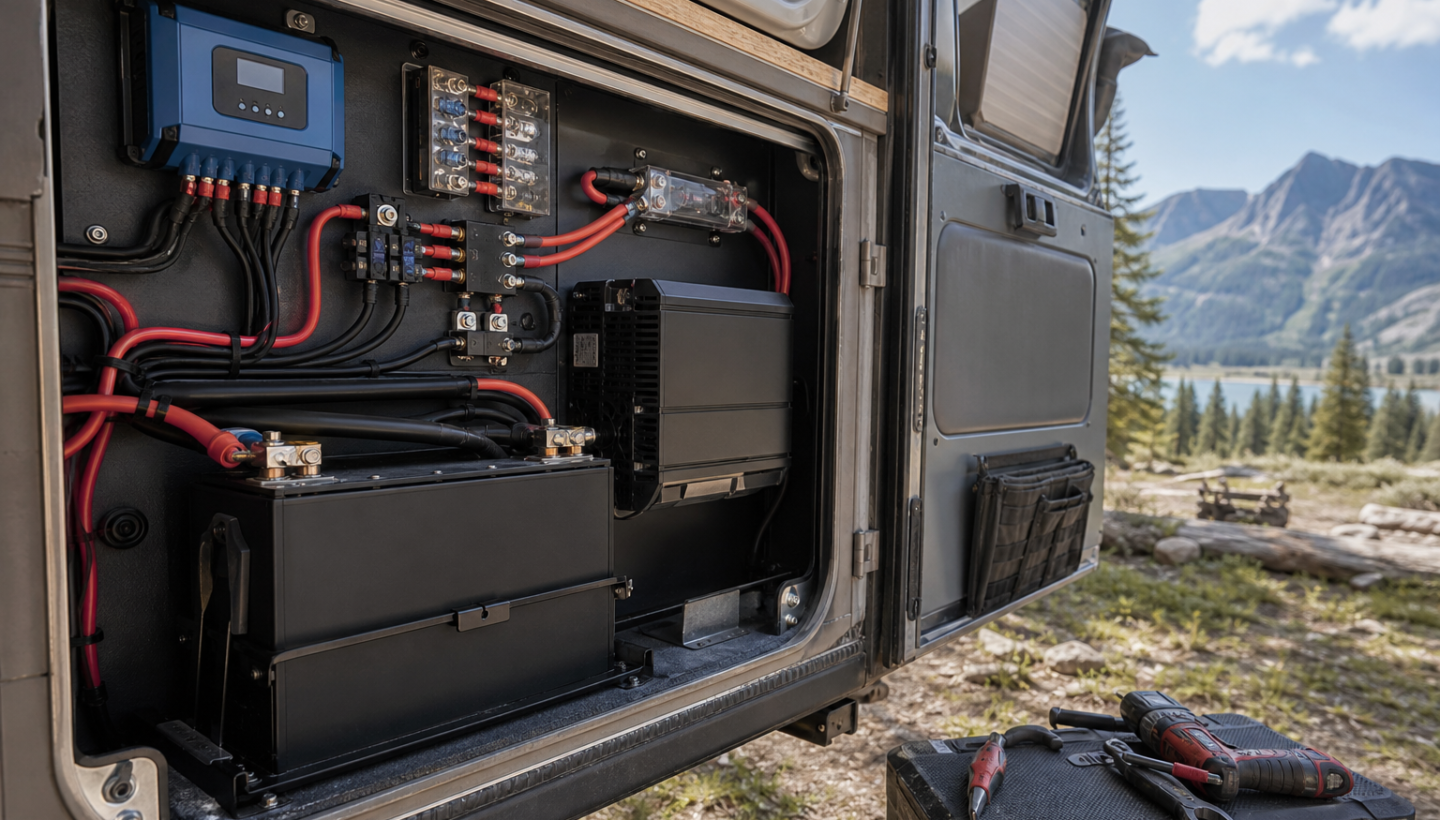
Off-grid electrical systems usually fail at the boring points: a loose lug, a cable run that is just a little too long, a fuse that was chosen by guesswork, a battery box that bakes in the afternoon sun, or a cheap crimp connector hidden behind a panel. Solar panels, lithium batteries, and high-output inverters get the attention, but the system lives or dies in the details between them.
Whether you are powering a van, overland rig, remote cabin, hunting camp, or mobile work setup, the weak points are often predictable. The goal is not to build a laboratory-perfect system. The goal is to build one that survives washboard roads, wet boots, freezing mornings, hot compartments, field repairs, and the occasional mistake made when you are tired, cold, and far from help.
Why Off-Grid Power Systems Fail in the Field
Most failures come from three causes: heat, vibration, and poor planning. Heat increases resistance and shortens component life. Vibration loosens fasteners and stresses wire strands. Poor planning creates overloads, voltage drop, and battery abuse. In a house, electrical systems sit still in climate-controlled walls. In a van or trail rig, they bounce for thousands of miles, absorb dust, and live beside water tanks, fuel cans, tools, pets, and food bins.
A rugged off-grid electrical setup should be treated like a field system, not a showroom install. Every connection should be serviceable. Every wire should be protected. Every load should be understood. Every critical function should have a backup plan.
Undersized Wiring and Voltage Drop
Wire gauge is one of the most overlooked failure points in mobile and remote power systems. A cable may technically carry the current, but still be too small for the length of the run. Long cable runs create voltage drop, which means your fridge, water pump, diesel heater, or inverter may receive less voltage than expected.
Voltage drop causes equipment to run poorly, shut down early, or draw more current to do the same work. That extra current creates heat, and heat is where electrical problems become dangerous.
Prevention Tips
- Size wire by both amperage and distance. Do not choose wire gauge by load rating alone. A 12-volt system is especially sensitive to voltage drop.
- Use a voltage drop calculator. Keep critical DC circuits under roughly 3% drop when possible, especially for fridges, pumps, radios, and charging equipment.
- Upsize wire for future loads. If you may add a larger inverter, second fridge, heater, or communications gear later, plan the backbone wiring accordingly.
- Protect cables from abrasion. Use loom, grommets, conduit, and proper clamps wherever wire passes through metal, wood, or storage spaces.
Loose Connections and Poor Terminations
A loose connection can look fine until the system is under load. Then it becomes a heater. Loose lugs, under-crimped terminals, poor set-screw connections, and untorqued bus bars can all create resistance. In a moving vehicle, vibration makes this worse over time.
The most dangerous part is that a bad connection may not fail immediately. It may work for months, then start causing random inverter shutdowns, charger errors, flickering lights, or battery imbalance.
Prevention Tips
- Use proper crimp tools. A hammer crimper is better than nothing in an emergency, but a quality hex or hydraulic crimper is better for permanent battery cables.
- Use adhesive-lined heat shrink. It supports the wire, seals the terminal, and reduces corrosion.
- Torque critical terminals. Follow manufacturer specs for batteries, bus bars, breakers, shunts, and inverters.
- Perform a pull test. Every crimp should be physically checked before it disappears behind a wall panel.
- Recheck after travel. Inspect major connections after the first few rough-road trips and then on a regular maintenance schedule.
Wrong Fuses, Missing Fuses, and Bad Fuse Placement
Fuses protect wire, not just equipment. A fuse should be sized so the wire cannot overheat if the circuit shorts. One common mistake is placing a fuse too far from the battery or power source. If the unfused section of cable rubs through before the fuse, the fuse may not help.
Another mistake is using a fuse because it “seems about right.” Oversized fuses may never blow during a fault. Undersized fuses may trip constantly and encourage unsafe bypasses in the field.
Prevention Tips
- Fuse as close to the power source as practical. Battery positive leads, solar controller outputs, DC-DC charger outputs, and distribution feeds all need proper protection.
- Match fuse size to wire ampacity. The fuse should protect the cable, not just the device at the end.
- Use DC-rated breakers and fuses. AC hardware may not safely interrupt DC arcs.
- Carry spares. Keep spare fuses for every value in your system, stored where you can find them in bad weather or darkness.
Cheap Connectors in Harsh Conditions
Low-quality connectors are a common hidden weak point. They may be fine for a garage project but fail under vibration, moisture, heat, and repeated plugging. Solar connectors, blade terminals, cigarette-lighter plugs, quick disconnects, and generic crimp fittings are frequent offenders.
The classic failure is intermittent power. Your fridge runs until the road gets rough. Your solar input drops when the cable moves. Your water pump cuts out when the cabinet flexes. These problems are hard to diagnose because they appear and disappear.
Prevention Tips
- Avoid cigarette-lighter plugs for critical loads. Hardwire fridges, radios, and pumps when possible.
- Use locking connectors. Anderson-style connectors, marine-grade terminals, and properly rated solar connectors are better choices for field systems.
- Separate temporary from permanent wiring. Portable panels and camp accessories can use quick connectors, but core power circuits should be robust and protected.
- Label connectors. Mark polarity, voltage, and purpose to reduce mistakes during field repairs.
Charge Controller Placement and Heat Buildup
Solar charge controllers and DC-DC chargers create heat. If they are mounted inside a sealed cabinet, near a heater duct, above an inverter, or next to a battery in a hot compartment, performance can drop. Many chargers reduce output when they get hot, which means your system may charge well in mild weather but struggle in desert heat.
Controller placement also affects wiring efficiency. Long runs from panels to controller, or from controller to battery, can create voltage drop and reduce harvest.
Prevention Tips
- Give chargers airflow. Mount them vertically when recommended and avoid packed storage spaces.
- Keep high-heat components separated. Do not cluster inverter, solar controller, DC-DC charger, and battery management components in a sealed box.
- Shorten high-current runs. Keep controller-to-battery wiring short and properly sized.
- Check charge output in real conditions. Test on a hot day with loads running, not just in the driveway on a cool morning.
Battery Heat Exposure
Batteries do not like extreme temperatures. Lead-acid batteries lose capacity in the cold and age faster in heat. Lithium iron phosphate batteries handle many off-grid applications well, but most should not be charged below freezing unless they have built-in low-temperature protection or heating.
Heat is especially damaging. A battery stored in a black exterior box, under a metal van floor, next to an exhaust route, or inside a poorly ventilated utility compartment may age much faster than expected.
Prevention Tips
- Mount batteries in a stable temperature zone. Interior locations are often better than exterior boxes, as long as ventilation and safety requirements are met.
- Protect lithium batteries from freezing charge conditions. Use batteries with low-temperature cutoff, heated batteries, or a controlled charging strategy.
- Keep batteries away from high-heat equipment. Inverters, chargers, heaters, and engine compartments can all raise battery temperature.
- Monitor battery temperature. Voltage alone does not tell the full story.
Moisture Intrusion and Corrosion
Water finds wiring. It comes from roof leaks, condensation, wet gear, river crossings, spilled bottles, open doors, and humid nights. Moisture creates corrosion, and corrosion creates resistance. Once resistance increases, heat follows.
Remote cabins and camps have their own moisture problems: rodents, seasonal condensation, roof leaks, and long periods without inspection. A system that looks clean in summer can be corroded by spring.
Prevention Tips
- Use drip loops. Route wires so water does not run directly into connectors, boxes, or equipment.
- Choose sealed enclosures where needed. Exterior junctions, roof penetrations, and underbody wiring need weather protection.
- Vent battery and electrical compartments appropriately. Sealing everything can trap condensation.
- Inspect after storms and crossings. Open compartments and look for water tracks, rust, swelling wood, or green corrosion on copper.
Grounding and Bonding Confusion
Grounding is one of the most misunderstood parts of off-grid systems. Vehicles, boats, cabins, trailers, and portable camps all have different grounding concerns. A van may use chassis return for some circuits, while a cabin may require grounding rods and properly bonded panels. Inverters add another layer, especially when switching between shore power, generator input, and battery power.
Bad grounding can cause nuisance trips, shock hazards, noisy electronics, sensor problems, and difficult troubleshooting. The danger increases when AC power is involved.
Prevention Tips
- Follow equipment manuals. Inverter and charger manufacturers usually specify neutral-ground bonding requirements.
- Do not guess on AC wiring. If your system includes shore power, generator input, or household-style outlets, get qualified help.
- Use a clear DC negative bus strategy. Avoid random negative returns scattered through the vehicle or structure.
- Label grounding points. Future troubleshooting is much easier when bonding locations are obvious.
Inverter Overloads and Surge Loads
An inverter may be rated for 2,000 watts, but that does not mean your entire system can safely support 2,000 watts. The battery bank, cables, fuse, bus bars, and inverter ventilation all need to match the load. High-draw appliances such as induction cooktops, microwaves, kettles, power tools, air compressors, and hair dryers can overwhelm a system quickly.
Surge loads matter too. Motors and compressors may briefly draw several times their running power. If your inverter is undersized or your battery voltage sags under load, the inverter may shut down even though the numbers looked acceptable on paper.
Prevention Tips
- Calculate DC current draw. A 2,000-watt inverter on a 12-volt system can pull well over 160 amps before losses are considered.
- Check surge ratings. Make sure the inverter can handle startup loads from tools, pumps, and compressors.
- Ventilate the inverter. Heat reduces performance and shortens component life.
- Avoid running multiple heavy loads at once. Build habits around power management, especially in small systems.
Poor Load Planning
Many off-grid systems are built around charging capacity instead of actual use. Solar panels are added, batteries are upgraded, and an inverter is installed, but nobody makes a realistic list of daily loads. That leads to disappointment when clouds roll in, winter days shorten, or camp life uses more power than expected.
A field-ready system starts with the load plan. How many watt-hours does the fridge use in hot weather? How often does the heater run overnight? Are you charging camera batteries, radios, laptops, medical devices, navigation tablets, or power tools? What happens after three days of rain?
Prevention Tips
- Build a daily energy budget. List every load, its wattage, and expected runtime.
- Plan for worst-case seasons. Winter sun, shade, storms, and cold battery behavior all matter.
- Separate essential and comfort loads. A fridge, heater fan, radio, and water pump deserve priority over entertainment and convenience appliances.
- Test before travel. Run the system for several days in realistic conditions before depending on it remotely.
Lack of Monitoring
Without monitoring, you are guessing. Battery voltage is useful, but it is not enough, especially with lithium batteries that hold a steady voltage through much of their discharge curve. A proper battery monitor or shunt helps you understand state of charge, current draw, charge rate, and system behavior over time.
Monitoring also helps catch failures early. If solar input suddenly drops, a fridge draws more than usual, or the inverter pulls standby power all night, you can respond before the battery is empty.
Prevention Tips
- Install a quality battery monitor. A shunt-based monitor is more useful than voltage alone.
- Learn your normal numbers. Know what your fridge, lights, heater, and inverter typically draw.
- Check parasitic loads. Inverters, routers, chargers, and displays can drain batteries quietly.
- Log performance during trips. A small notebook or phone note can reveal patterns before they become failures.
Missing Redundancy
Redundancy does not mean carrying a complete second electrical system. It means knowing which functions are critical and having another way to keep them alive. If your only charging source is roof solar, heavy shade or snow can stop you. If your only cooking method is electric, a dead inverter becomes a serious problem. If your only navigation device charges from one USB outlet, a small failure can become a major inconvenience.
Prevention Tips
- Use multiple charging sources. Combine solar with alternator charging, shore power, generator input, or a portable panel when appropriate.
- Carry a compact backup power bank. Keep phones, radios, headlamps, and satellite communicators independent of the main system.
- Keep some non-electric options. A propane stove, hand pump, paper maps, and battery lantern can save a trip.
- Pack repair supplies. Carry fuses, terminals, wire, heat shrink, electrical tape, a multimeter, and a basic crimp tool.
Field Audit Checklist Before Remote Travel
Before heading into remote country, run a hands-on audit. Do not just look at the battery monitor and call it good. Open compartments, tug wires, inspect terminals, and test loads.
- Wire gauge: Confirm major cable runs are sized for amperage and distance.
- Fuse placement: Check that battery and charger feeds are fused close to the source.
- Connections: Inspect lugs, bus bars, breakers, and terminals for looseness, heat marks, or corrosion.
- Connectors: Replace weak temporary plugs on critical loads with locking or hardwired connections.
- Charging equipment: Verify airflow around solar controllers, DC-DC chargers, and inverters.
- Battery environment: Check for heat exposure, freezing risk, moisture, and physical movement.
- Moisture protection: Inspect roof penetrations, exterior junctions, cable glands, and underbody wiring.
- Grounding: Review DC negative routing and AC bonding requirements according to equipment manuals.
- Inverter loads: Test your heaviest appliance and confirm cables, fuses, and batteries stay within limits.
- Monitoring: Confirm your battery monitor reads correctly and that you understand normal current draw.
- Redundancy: Pack backup charging, spare fuses, repair tools, and non-electric alternatives for critical needs.
Key Takeaways
- The weak points are usually small. Loose connections, bad crimps, cheap plugs, and poor fuse choices cause many field failures.
- Heat is the enemy. Undersized wire, overloaded inverters, hot battery compartments, and poorly ventilated chargers all reduce reliability.
- Plan loads before buying gear. A realistic energy budget prevents disappointment and helps size batteries, solar, chargers, and inverters correctly.
- Monitoring turns mystery into data. A good battery monitor helps you catch problems before they strand you.
- Redundancy is part of the system. Remote travel demands backup ways to charge, cook, navigate, communicate, and repair.
Related Resources
- Victron Energy Wiring Unlimited — A detailed technical guide to DC wiring, voltage drop, grounding, batteries, and system design.
- Blue Sea Systems Circuit Wizard — A useful tool for estimating wire size and circuit protection in low-voltage DC systems.
- NFPA 70: National Electrical Code — The primary U.S. electrical code reference for safe wiring practices, especially relevant for cabins and AC systems.
- Battery University: How to Prolong Lithium-Based Batteries — Practical background on temperature, charging habits, and lithium battery lifespan.